


How do I change my language preferences?
How to Change Website Language
1. Log into My Account and select "Settings” from the top navigation menu.
2. Once on the Settings page, click the "Profile" tab.
3. Click "Edit" under Website Language to set your desired language.
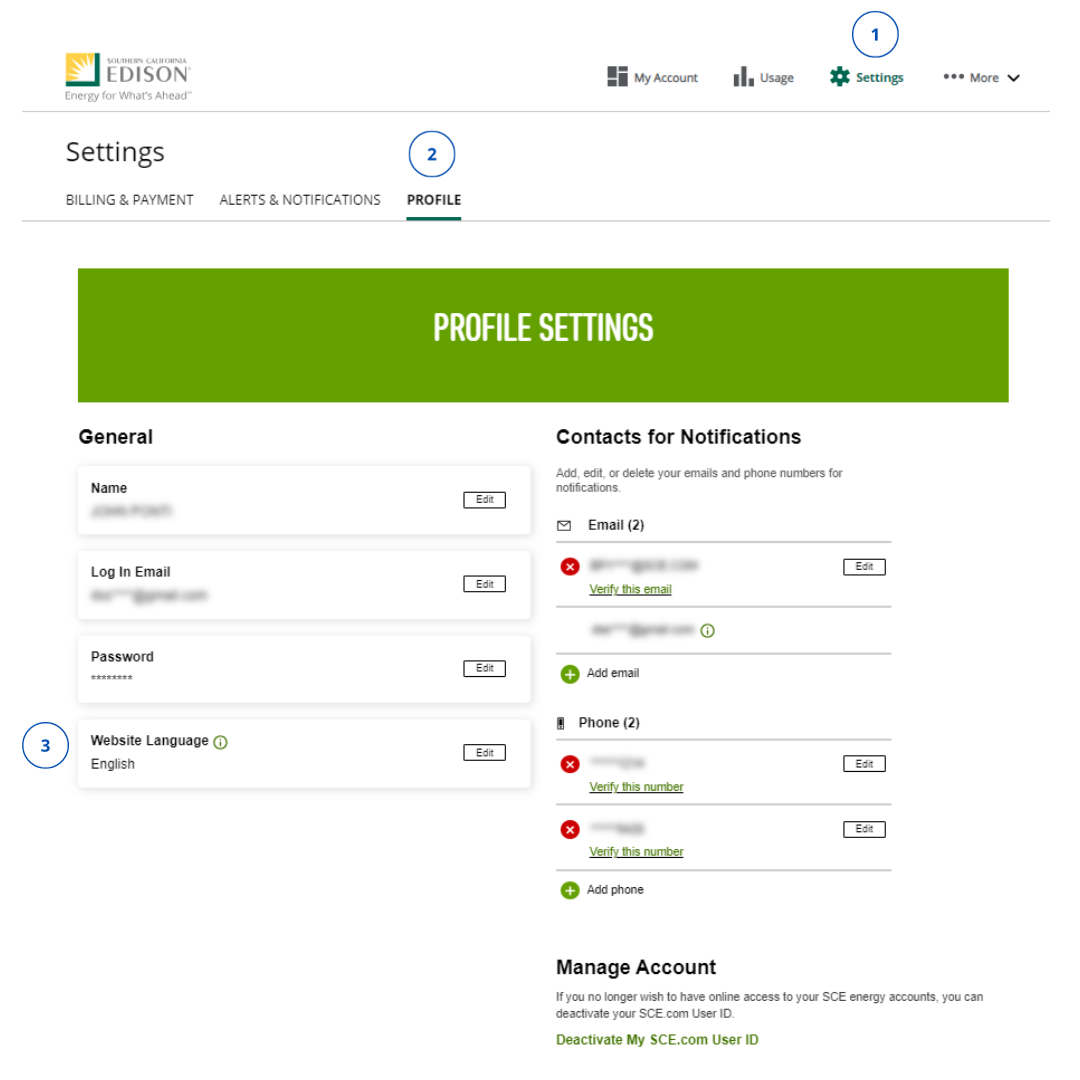
Your language options are English, Spanish, Korean, Chinese, Vietnamese. When content is available in your preferred language, it will be displayed based on this setting. Otherwise, content will be shown in English.
How to Change Notification Language
1. Select "Settings" from the top navigation menu.
2. Once on the Settings page, click the "Alerts and Notifications" tab.
3. Click "Edit" under Notification Language to select your desired language.
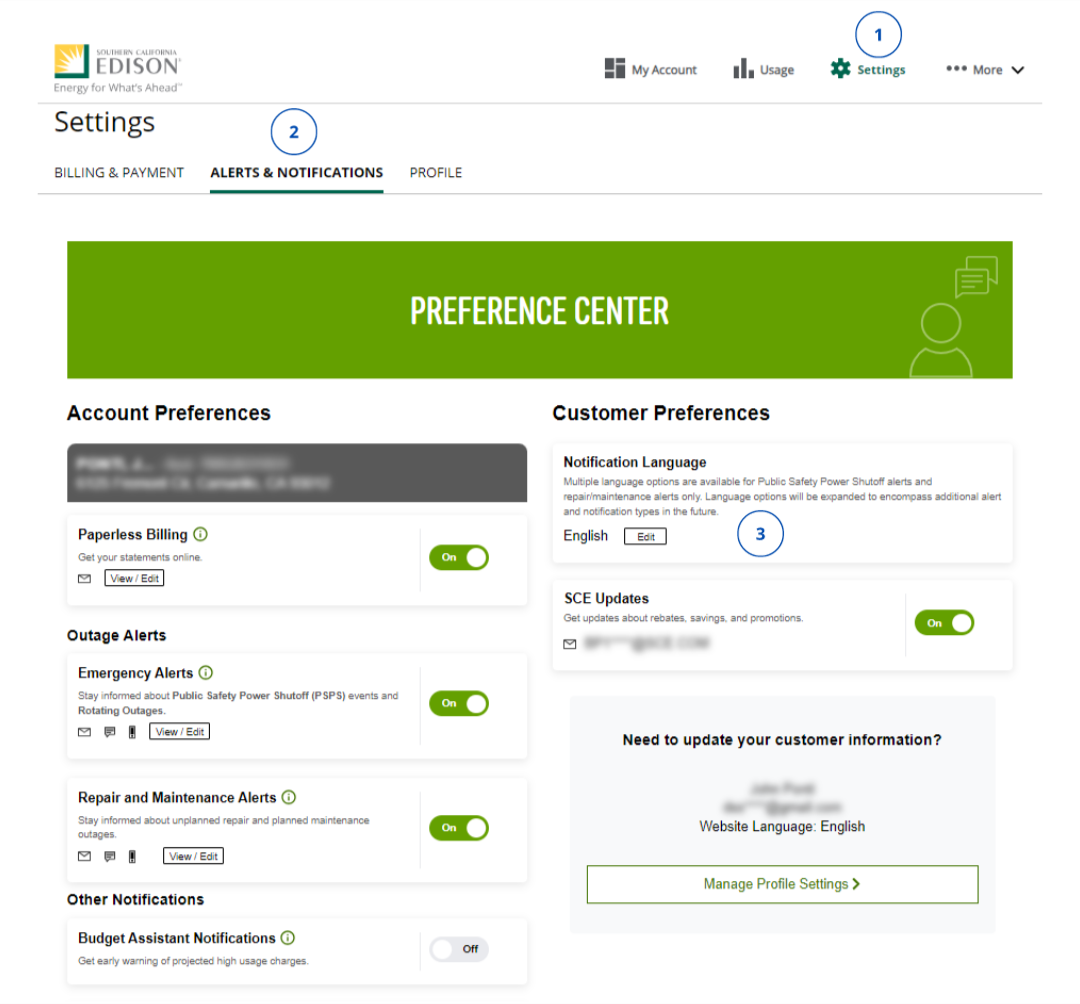
Not seeing these options? Your dashboard may not have been updated to the New My Account experience just yet. Please click the tab labeled “My Account – Legacy" at the top of this article to view instructions for the legacy design.
¿Esta información le resultó útil?

- Cambiar el nombre en Mi cuenta
- Close My Account
- Customer Information Service Request (CISR) FAQs
- How do I complete multi-factor authentication (MFA)? - Current Customer
- Gestión de alertas y preferencias
- How do I update my contact information?
- ¿Cómo actualizo o cierro una cuenta de SCE debido al fallecimiento del titular de la cuenta?
- I'm not receiving my security code?
- Multiple Customer Accounts Help
- Managing Over 10 Service Accounts
- Multi-Factor Authentication (MFA) Customer FAQs
- What's New in My Account
- SCE.com Redesigned for You
- Where can I find my Customer Account Number?